Top Password Managers for Better Online Security
In a world where data breaches and account hacks have become almost routine, relying on a single password—or worse, reusing the same one across multiple platforms—is a risky game.
Password managers have emerged as one of the most effective tools for strengthening online security without sacrificing convenience.
Whether you’re managing social media, banking apps, or work accounts, the right password manager can act as your digital vault—secure, efficient, and surprisingly easy to use.
Why You Need a Password Manager
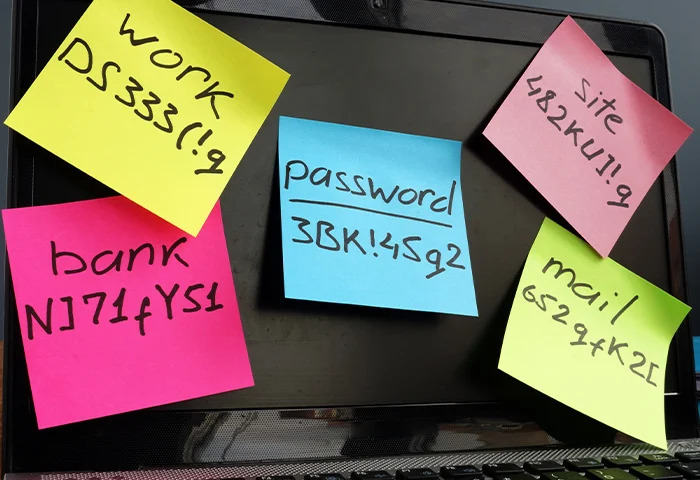
Most people struggle to remember complex passwords, which leads to weak or repeated credentials. That’s exactly what hackers exploit.
A password manager solves this by:
- Generating strong, unique passwords
- Storing them securely in an encrypted vault
- Auto-filling login details across websites and apps
- Syncing data across devices
Instead of remembering dozens of passwords, you only need one master password.
Top Password Managers in 2026
Here are some of the best password managers that stand out in terms of security, usability, and features:
1. LastPass
LastPass remains one of the most popular choices thanks to its user-friendly interface and robust features.
Key Features:
- Secure password vault
- Dark web monitoring
- Multi-device sync
- Password sharing options
Best For: Beginners who want an easy setup with solid protection.
2. 1Password
Known for its clean design and advanced security, 1Password is widely used by both individuals and teams.
Key Features:
- Travel mode (hides sensitive data)
- Watchtower security alerts
- End-to-end encryption
- Family and business plans
Best For: Users who prioritize privacy and premium features.
3. Dashlane
Dashlane goes beyond password storage by offering built-in VPN and identity protection tools.
Key Features:
- Real-time breach alerts
- VPN for safer browsing
- Password health scoring
- Automatic password changer
Best For: Users who want an all-in-one security solution.
4. Bitwarden
Bitwarden is a favorite among tech-savvy users due to its open-source nature and affordability.
Key Features:
- Open-source transparency
- Free tier with strong features
- Self-hosting option
- Cross-platform compatibility
Best For: Budget-conscious users and developers.
5. NordPass
Developed by the team behind NordVPN, NordPass focuses on simplicity and modern encryption standards.
Key Features:
- Zero-knowledge architecture
- Biometric login support
- Secure password sharing
- Data breach scanner
Best For: Users already familiar with Nord security products.
What to Look for in a Password Manager
Choosing the right password manager depends on your needs. Here are a few key factors to consider:
- Security Standards: Look for AES-256 encryption and zero-knowledge architecture
- Ease of Use: Clean interface and seamless autofill
- Cross-Platform Support: Works on mobile, desktop, and browsers
- Extra Features: VPN, breach alerts, or secure file storage
- Pricing: Free vs premium plans
Are Password Managers Safe?
Yes—when used correctly, password managers are far safer than manual password storage. Most reputable tools use advanced encryption that even the provider cannot access.
However, your master password becomes critical. Make sure it’s:
- Long and unique
- Not reused anywhere else
- Combined with two-factor authentication (2FA)
Final Thoughts
Password managers are no longer optional—they’re essential. As cyber threats evolve, relying on memory or simple passwords just isn’t enough.
By adopting tools like those mentioned above, and staying informed through platforms like Technected, you can take control of your digital security without adding complexity to your daily life.
If you’re serious about protecting your online presence, a password manager is one of the smartest investments you can make today.